
Nofollow links are hyperlinks that include a rel="nofollow" HTML attribute. The nofollow attribute signals search engines to disregard that link. Because nofollow links don’t pass PageRank, they probably don’t influence search engine rankings.
Table Of Contents
- 1 What’s the Difference Between Nofollow and Dofollow Links?
- 2 How Do You Check If a Link is Nofollow?
- 3 Why Did Search Engines Create the Nofollow Tag?
- 4 What Types of Links Are Nofollow?
- 5 Do Nofollow Links Help With SEO?
- 6 What Are the Benefits of Nofollow Links?
- 7 What’s the Difference Between Nofollow and Noindex?
- 8 How Do I Use Nofollow Links on My Site?
What’s the Difference Between Nofollow and Dofollow Links?
The only technical difference between the two is that a nofollow link carries the nofollow attribute.

Nofollow Link – Technical
To a user, you cannot tell a nofollow link apart from a dofollow link – you can click it, copy it, and use it like any other link on the internet. However, when it comes to search engine optimization, there is a major difference between nofollow and dofollow links.
Here’s the difference: Dofollow links aid your search engine rankings. Nofollow links (generally) do not. Search engines like Google and others use links as key ranking signals.
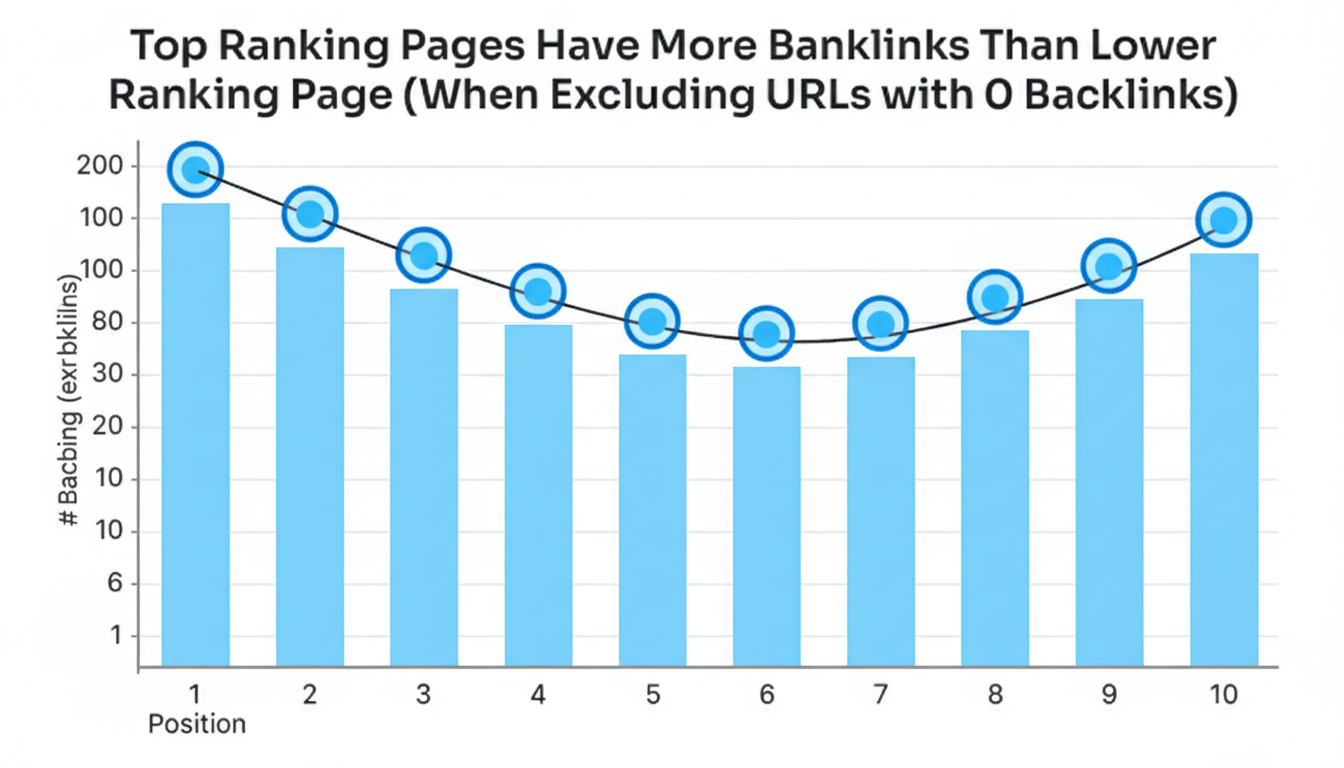
Top‑ranking pages tend to have more backlinks than lower‑ranking pages. But they count only dofollow links in their algorithms. According to Google, nofollow links do not carry PageRank.
And if a link doesn’t send PageRank (aka “link authority”) your way, it’s not going to benefit your Google rankings.(there might be exceptions. More on that later.) That’s why, when building links, you should aim for dofollow links whenever you can.
How Do You Check If a Link is Nofollow?
Here’s how you check whether a link is nofollow:
- Right‑click in your browser and select “View page source”.
- Find the link in the HTML.
- If you see a
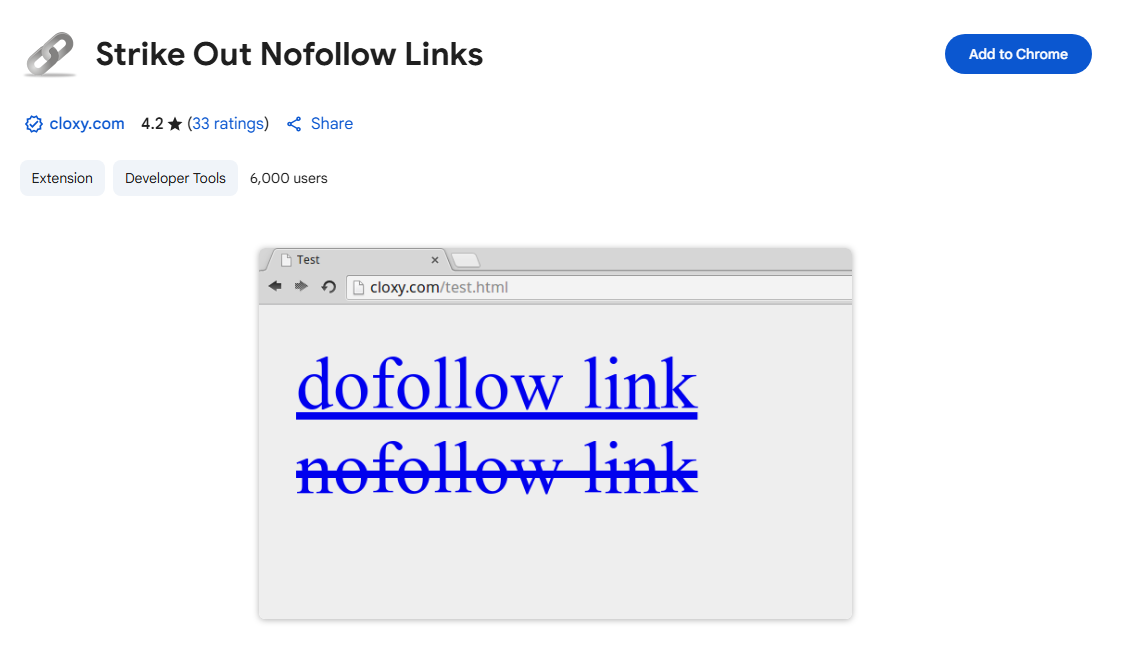
rel="nofollow"attribute, the link is nofollowed. Otherwise, it’s dofollow. - You can also use the “Strike Out Nofollow Links” SEO Chrome extension.
This handy tool automatically strikes through any nofollow links on the page — so you don’t have to manually comb through the code.
Why Did Search Engines Create the Nofollow Tag?
The nofollow tag was originally developed by Google to combat comment spam on blogs.
As blogging surged in popularity, so did comment spam. Spammers would leave links back to their websites in comments, causing two major issues:
- Spammy sites began ranking well in Google, pushing high‑quality sites out of the search results.
- Because the tactic worked so well, comment‑spam grew rapidly.
In 2005, Google helped introduce the nofollow tag and integrated it into its algorithm.
Other search engines (like Bing and Yahoo) ultimately adopted it too.
What Types of Links Are Nofollow?
Any link that carries the nofollow attribute is technically a nofollow link. But typically, inbound links from these sources tend to be nofollow:
- Blog comments
- Social media posts (for example, links in Facebook posts or YouTube video descriptions)
- Forum posts or other user‑generated content
- Certain blogs and news sites
- Links in widgets
- Links in press releases
And here are some major websites that use rel="nofollow" on all of their outbound links:
- Quora
- YouTube
- Wikipedia
- Twitch
- Medium
There’s also one more category where links should be nofollow: paid links.
According to Google’s Webmaster Guidelines, any links you pay for should be nofollow (or use rel="sponsored").
Because Google wants all of your links to be earned, not bought.
For example: if you pay for a banner ad on a website, Google requires the link in the banner to be nofollow – otherwise your site could be penalised.
Do Nofollow Links Help With SEO?
Some people say: “Nofollow links have absolutely zero impact on SEO.”
Others claim: “Nofollow links aren’t as powerful as dofollow links… but they still help.”
Which one is correct?
Google Says: in general we dont follow them, Notice the “in general”. That means they might follow them.
Next, let’s look at a few interesting case studies.
- One SEO experiment found that lots of nofollow links did accompany a jump in rankings – especially when the links came from high‑quality sites.
- Another experiment found that Google followed a nofollow link to a previously non‑indexed page and that page was indexed within 48 hours.
- An industry study analysed factors that influence the “power” of a backlink and found that both dofollow links and total backlink counts (including nofollow links) appeared to correlate with better rankings.
Bottom line? Nofollow links seem to have some SEO value – especially when they come from relevant, high‑quality sites. Google may also use anchor text from nofollow links in their algorithm.

What Are the Benefits of Nofollow Links?
Let’s take a look:
- Nofollow links can directly help your SEO.
As noted above, experiments and industry studies have found that nofollow links can lead to ranking increases – though the data is not absolutely conclusive. - Nofollow links can bring you traffic.
Don’t forget: the right nofollow link can send targeted visitors to your site. - Nofollow links may lead to dofollow links.
A nofollow link from a popular site can trigger lots of dofollow links. - Nofollow links help create a natural link profile.
If your backlink profile looks unnatural (e.g., all dofollow links, zero nofollow links), you might be at risk of a Google penalty. A mix of nofollow + dofollow links signals a natural pattern.
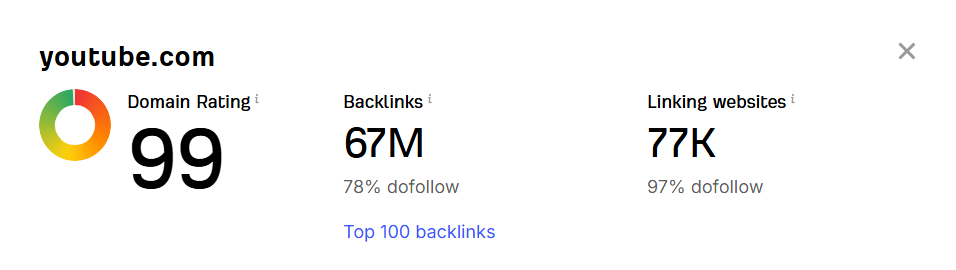
Example: On YouTube, about 22% of their links are nofollow (based on ahrefs website analysis) .
What’s the Difference Between Nofollow and Noindex?
The noindex directive is a meta tag you add to a page to tell search engines not to index that specific page.

On the other hand, the nofollow attribute tells search engines not to follow a specific link.
So if you don’t want a page indexed, using nofollow links won’t do the job — you should use noindex instead.
How Do I Use Nofollow Links on My Site?
It depends on your site’s technology. For example, if your site is built on WordPress, all blog comment links automatically get the nofollow attribute.
There are also no follow for external links plugins that can turn all your external links into nofollow (if you choose). Otherwise, you’ll need to work with a developer (or a plugin) to manually or automatically add rel="nofollow" to your external links.
This article is based on the knowledge and insights I’ve gained from backlinko and ahrefs guides. i Hope this will help you a lot in your SEO journey.
Pingback: Increase Domain Authority - 7 Proven Ways in 2025