
Crawl budget refers to the number of pages Googlebot (or other search engine crawlers) can and wants to crawl on your website within a certain period. It is a balance between your site’s crawl capacity (how many requests your server can handle) and crawl demand (how important or popular your pages are to Google). For small sites with few URLs, crawl budget is rarely a concern. However, for large or frequently updated sites, managing crawl budget ensures that search engines discover and index important content efficiently.
Table Of Contents
- 1 Crawl Rate Limit vs. Crawl Demand
- 2 Why Crawl Budget Matters for SEO
- 3 How Google Discovers URLs (Sitemaps, Internal Links, Backlinks)
- 4 Key Factors That Influence Crawl Budget
- 5 How to Monitor and Analyze Your Crawl Budget
- 6 Strategies for Crawl Budget Optimization
- 6.1 Improving Server Response Time
- 6.2 Effective Use of robots.txt
- 6.3 Managing URL Parameters
- 6.4 Using Canonical Tags (rel=”canonical”)
- 6.5 Optimizing Internal Linking Structure
- 6.6 Implementing Proper HTTP Status Codes (301, 404, 410)
- 6.7 Pruning and Consolidating Low-Quality Content
- 6.8 Managing Faceted Navigation
- 6.9 Submitting and Maintaining XML Sitemaps
- 7 Advanced Topics
- 8 Common Myths and Misconceptions
Crawl Rate Limit vs. Crawl Demand
The crawl rate limit is the maximum number of requests Googlebot can make without overloading your server, influenced by server response times and error rates. Crawl demand, on the other hand, is determined by the popularity and freshness of your URLs—Google prioritizes frequently updated or highly linked pages. Together, these factors determine how much of your website gets crawled regularly. A site with high demand but low server tolerance may have crawl bottlenecks. Conversely, a site with high server capacity but low demand may see limited crawling.
Why Crawl Budget Matters for SEO
Crawl budget directly impacts which pages Google discovers and indexes, which in turn affects visibility in search results. If search engines spend too much time on irrelevant or low-value URLs, important pages may be delayed in indexing. This is especially critical for large e-commerce websites, news portals, and platforms with thousands of dynamic pages. Proper crawl budget management ensures that updates and new content get indexed faster. In short, it helps maximize SEO efficiency.
How Google Discovers URLs (Sitemaps, Internal Links, Backlinks)
Google uses multiple methods to discover new URLs: XML sitemaps, which provide structured lists of your site’s important pages; internal links, which guide crawlers through site architecture; and backlinks from external sites, which act as signals of importance. Sitemaps are useful for large or complex websites to highlight priority URLs. Internal linking ensures deep pages are not overlooked, while backlinks increase crawl frequency due to their authority. Together, these discovery methods shape how effectively your site is crawled.
Key Factors That Influence Crawl Budget
Site Speed and Server Performance (Time to First Byte – TTFB)
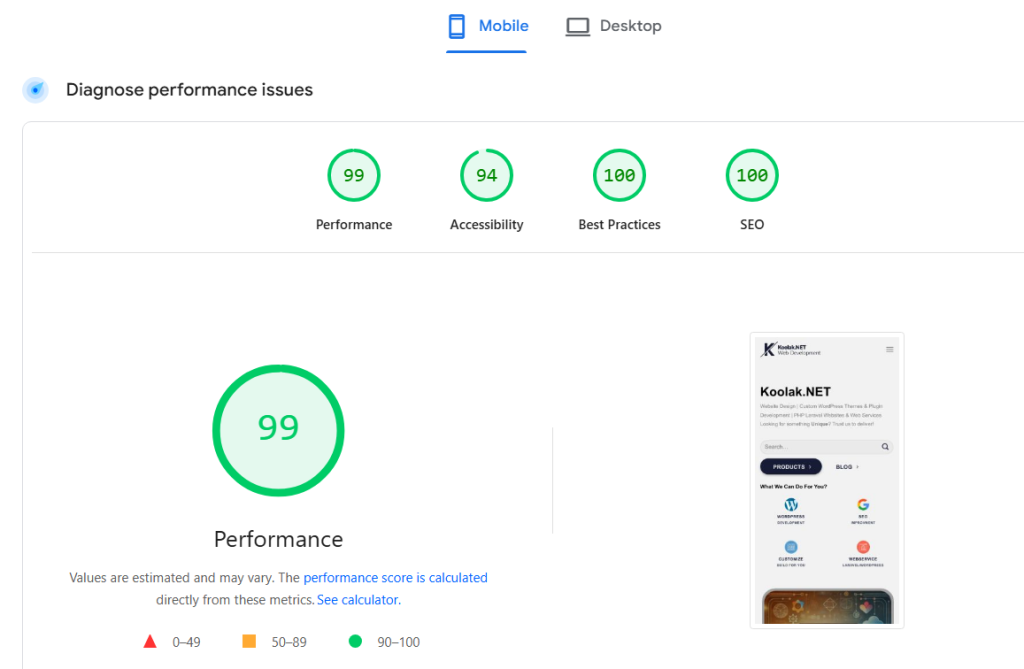
Faster websites allow search engine bots to crawl more pages in less time, maximizing crawl efficiency. Google uses TTFB as a key indicator of server performance. If your server responds quickly, crawlers increase the crawl rate. Conversely, slow websites or frequent timeouts cause bots to reduce requests. Optimizing performance not only improves crawl budget but also enhances user experience. you can use google page speed test available at https://pagespeed.web.dev/ to monitor your website performance.
Site Health (Server Errors, Timeouts)
Frequent server errors, broken links, or timeouts waste crawl budget and signal instability to search engines. If bots encounter repeated 5xx errors or DNS failures, they slow down crawling to avoid stressing the server. This means important URLs may remain undiscovered or delayed in indexing. Monitoring error logs and fixing issues promptly helps maintain crawl efficiency. A healthy site ensures crawl budget is used effectively.
Website Size and Number of URLs
The larger your website, the more important crawl budget becomes. Sites with millions of pages—like e-commerce platforms—risk having important URLs overlooked if crawl budget is mismanaged. Even medium-sized sites can face issues if they generate excessive duplicate or parameter-based URLs. Controlling URL growth through canonicalization, proper navigation, and pruning helps ensure crawl resources are spent on valuable content.
URL Popularity and Freshness
Search engines prioritize URLs that are frequently updated or attract more backlinks. Fresh, popular content signals relevance and encourages bots to revisit those pages more often. Stale or low-traffic pages, on the other hand, may be crawled less frequently or even ignored. By consistently updating content and building authority, you can direct more crawl resources toward key URLs.
Content Quality and Uniqueness (Duplicate Content Issues)
Duplicate or low-quality content wastes crawl budget because bots may repeatedly crawl near-identical pages. Google favors unique, high-quality content that adds value. If your site contains multiple versions of the same content (e.g., due to parameters or session IDs), crawl efficiency decreases. Proper use of canonical tags and content consolidation helps avoid duplicate crawling. Quality content ensures that crawl budget is allocated to meaningful pages.
Website Architecture and Internal Linking
A clear, logical site structure makes it easier for crawlers to navigate and discover important content. Shallow site architecture (fewer clicks from the homepage) ensures key URLs are prioritized. Internal linking distributes crawl equity across the site and prevents orphan pages from being missed. Sites with poor navigation or broken links risk wasting crawl resources. Optimized architecture ensures efficient crawling and indexing.
How to Monitor and Analyze Your Crawl Budget
Using the Google Search Console Crawl Stats Report
Google Search Console provides valuable data on crawl activity, including pages crawled per day, crawl requests, and server response times. The Crawl Stats report helps you identify trends, spikes, or drops in crawling behavior. It can reveal whether crawl budget issues exist, such as low crawl activity on large sites. Regular monitoring ensures you catch issues early and optimize accordingly. you can add search console to your wordpress website using this article.
Server Log File Analysis
Log files record every request made to your server, including those from search engine crawlers. Analyzing them shows exactly which URLs are being crawled, how often, and by which bots. This helps you detect crawl traps, overlooked pages, or over-crawled unimportant URLs. Unlike GSC, logs provide raw, detailed insights into real crawling behavior. They are essential for deep crawl budget analysis.
Identifying Crawl Traps and Infinite Loops
Crawl traps occur when bots get stuck crawling endless variations of URLs, such as infinite calendar pages, faceted navigation, or session-based parameters. These waste crawl budget and prevent important pages from being indexed. Detecting and fixing crawl traps ensures bots focus on valuable content. Common solutions include robots.txt exclusions, parameter handling in GSC, or proper canonicalization.
Tools for Crawl Analysis (e.g., Screaming Frog, Sitebulb)
SEO crawling tools like Screaming Frog, Sitebulb, and DeepCrawl simulate search engine crawling to uncover technical issues. They help identify broken links, redirect chains, duplicate content, and crawl depth. Some tools also integrate with log files for advanced analysis. Using these tools alongside GSC data provides a complete picture of crawl budget usage. They are indispensable for technical SEO audits.
Strategies for Crawl Budget Optimization
Improving Server Response Time
A faster server allows crawlers to process more URLs without being slowed down. Optimizations like caching, CDN usage, and database tuning improve TTFB. Google favors sites that respond quickly, allocating more crawl resources. Performance improvements benefit both bots and human users.
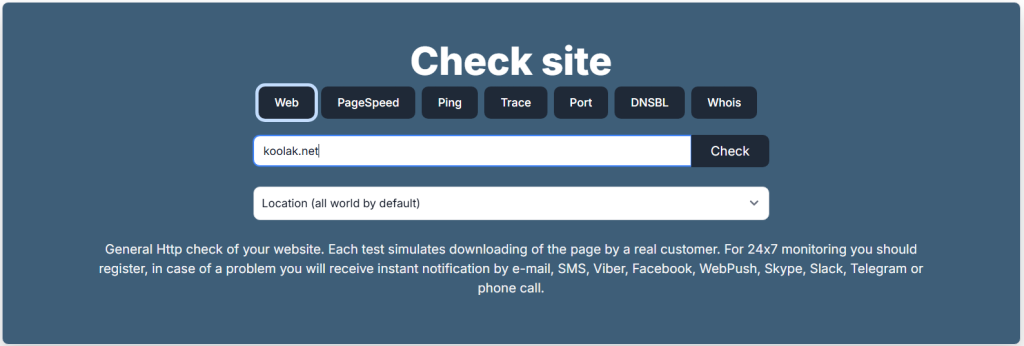
you can use https://www.host-tracker.com/en for DNS failures and host problems. also you can enable Cloudflare on your website to boost the speed and security and uptime a lot (free plan will have a lot of benefits, no need to pay for the premium plans to boost your website).
Effective Use of robots.txt
Robots.txt helps prevent crawlers from wasting resources on unimportant or duplicate pages. For example, you can block faceted search URLs, admin areas, or session parameters. However, it must be used carefully, since blocking does not save crawl budget if the URL has strong signals elsewhere. A well-structured robots.txt ensures bots focus on essential pages.
Managing URL Parameters
Parameter-based URLs can generate countless duplicates, draining crawl resources. Tools like GSC’s URL parameter handling or rel=“canonical” help manage these variations. Restricting unnecessary parameters ensures crawlers don’t waste time on redundant URLs. Proper parameter control is vital for large e-commerce or dynamic sites.
Using Canonical Tags (rel=”canonical”)
Canonical tags signal to search engines which version of a page is the “master” URL. This consolidates signals and avoids wasting crawl budget on duplicates. When used correctly, canonicalization helps bots focus on the preferred URL while still discovering other versions. It’s a key tool in crawl budget optimization.
Optimizing Internal Linking Structure
Strong internal linking distributes crawl equity and ensures important pages are reached quickly. Pages linked from multiple sections are seen as more valuable and crawled more frequently. Avoiding orphan pages ensures no important content is missed. An optimized internal structure boosts crawl efficiency and SEO.
Implementing Proper HTTP Status Codes (301, 404, 410)
Correct use of status codes prevents crawl budget waste. Permanent redirects (301) consolidate authority, while 404 and 410 signal content is gone, avoiding unnecessary re-crawling. Misused redirects or soft 404s confuse crawlers and drain resources. Clean status code management ensures crawl budget is used effectively. we have a good article about how to manage 404 errors in your website.
Pruning and Consolidating Low-Quality Content
Removing thin, duplicate, or irrelevant content reduces the total number of URLs competing for crawl budget. Consolidating similar pages into stronger, authoritative ones improves SEO. This strategy ensures bots focus on high-value content. It also helps improve overall site quality signals.
Faceted navigation creates endless URL combinations, often leading to crawl traps. Implementing noindex, canonical tags, or blocking unnecessary parameters prevents crawl waste. Structured navigation ensures crawlers can still reach valuable product or category pages. Proper management balances user experience with crawl efficiency.
Submitting and Maintaining XML Sitemaps
XML sitemaps act as a roadmap for search engines, guiding them to priority URLs. Keeping sitemaps clean, updated, and free of errors improves crawl efficiency. Large sites may benefit from segmented sitemaps for better control. Regularly maintaining them ensures new content is indexed faster.
Advanced Topics
Crawl Budget for JavaScript-Heavy Websites (Rendering Budget)
JavaScript-heavy websites require additional processing time for rendering, which eats into crawl budget. If important content relies on JavaScript, bots may delay indexing. Solutions include server-side rendering, pre-rendering, or using dynamic rendering. Optimizing JS delivery ensures crawl efficiency and faster indexing.
Mobile-First Indexing and its Impact on Crawling
With mobile-first indexing, Google primarily crawls the mobile version of your site. Poorly optimized mobile pages can waste crawl resources or miss content. Ensuring mobile and desktop parity in content and links prevents crawl inefficiencies. Responsive design and mobile performance optimizations are critical.
Crawl Budget Considerations for Large Websites (E-commerce, News Portals)
Large websites with millions of URLs face the most crawl budget challenges. For e-commerce, faceted navigation and duplicate products are key issues. News portals need rapid crawling to surface fresh stories quickly. Both require strict crawl management strategies, including pruning, parameter handling, and frequent sitemap updates.
HTTP/2 and Its Effect on Crawling Efficiency
HTTP/2 allows multiple requests to be sent simultaneously over a single connection, making crawling faster. Googlebot supports HTTP/2, which improves efficiency without requiring site-side changes (if the server supports it). While it doesn’t increase crawl budget itself, it helps use existing resources more effectively.
Common Myths and Misconceptions
Is Crawl Budget a Ranking Factor?
Crawl budget itself is not a direct ranking factor. Google ranks pages based on relevance and authority, not how often they are crawled. However, crawl budget indirectly impacts SEO by influencing how quickly and thoroughly pages are indexed. A well-managed crawl budget ensures your content is discoverable.
“Crawl budget is only important for large sites.”
While large websites are most affected, smaller sites can also benefit from crawl budget awareness. Issues like duplicate content, crawl traps, or poor server performance can waste resources on any site. Even a medium-sized blog with tag pages and archives can suffer if crawl budget is misused.
“Blocking a URL in robots.txt saves crawl budget.”
This is a common misconception. Robots.txt prevents bots from crawling the content of a URL, but the URL itself can still be discovered and consume resources. For true crawl budget savings, it’s better to use noindex, proper canonicalization, or content pruning. Robots.txt is a control tool, not a budget saver.