
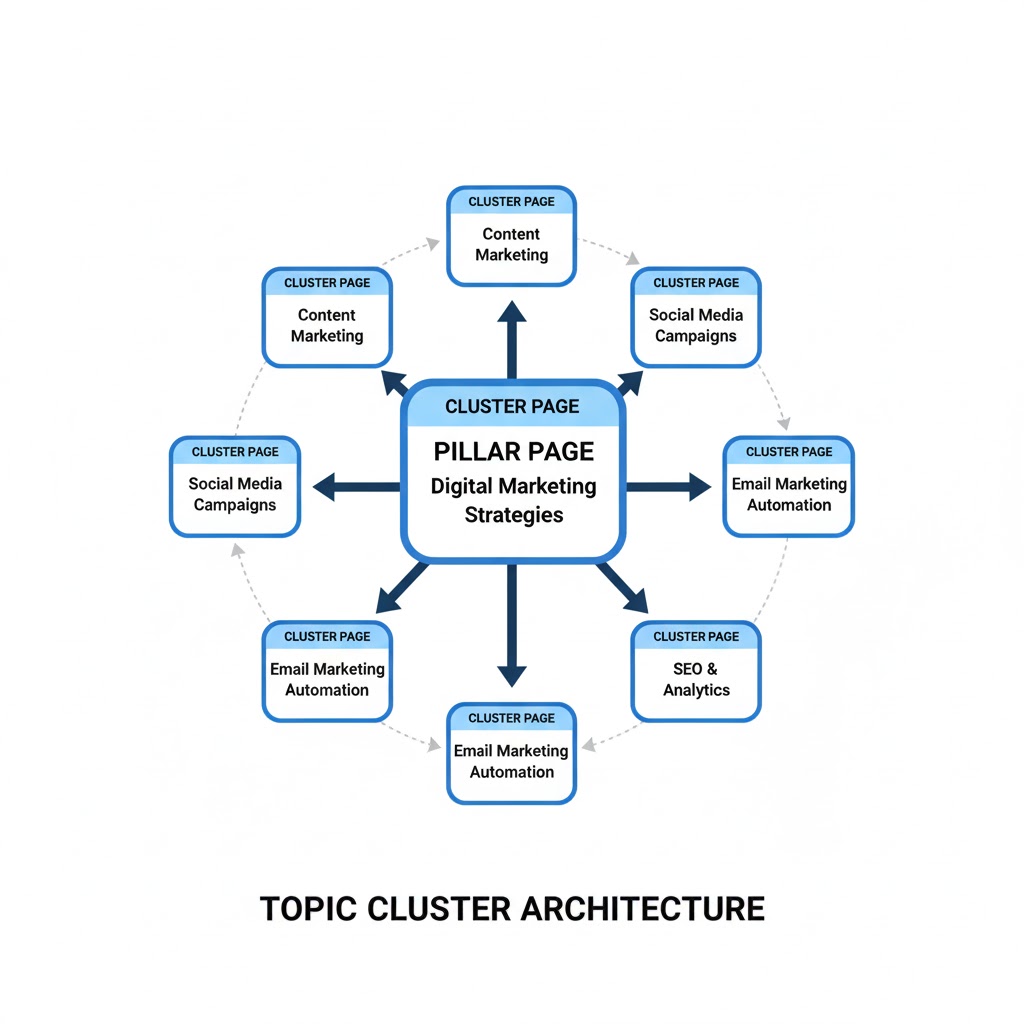
Pillar pages are comprehensive guides that cover a broad topic in depth and connect to multiple related articles – called cluster pages – that expand on specific subtopics. Together, these create what’s known as a topic cluster.
This structure helps both users and search engines navigate your content easily. The pillar page provides a high-level overview, while each cluster page dives deeper into related areas and links back to the main hub.
Example:
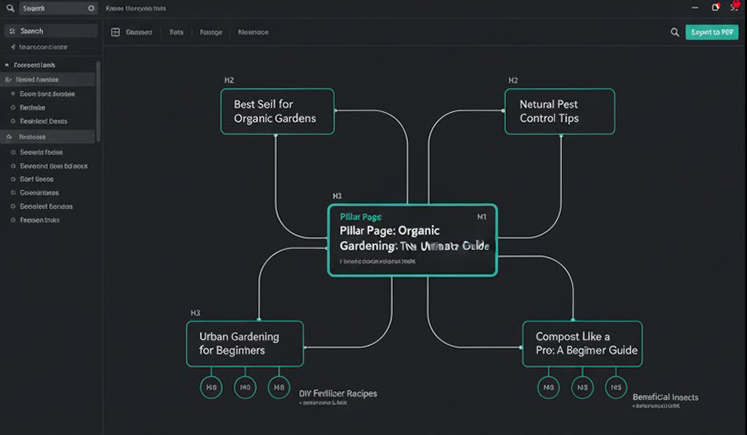
If your main pillar page is “Organic Gardening: The Ultimate Guide,” your cluster pages might include topics like:
- “Best Soil for Organic Gardens”
- “Natural Pest Control Tips”
- “Urban Gardening for Beginners”
Each of these smaller guides links back to the main pillar page, reinforcing its authority.
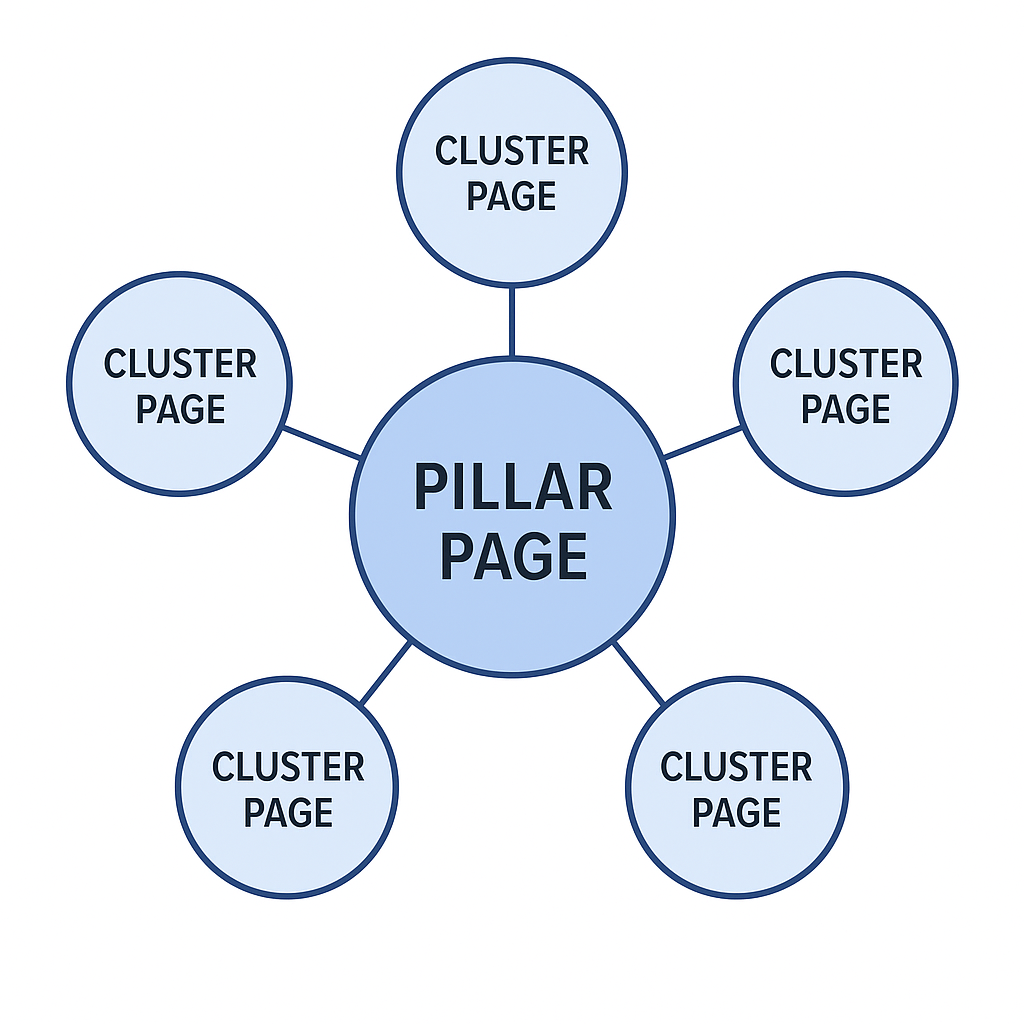
Table Of Contents
- 1 Why Pillar Pages Matter for SEO
- 2 How to Create a Pillar Page That Performs
- 3 Choose a Strong Topic Cluster
- 4 Research and Map Your Keywords
- 5 Plan Your Pillar Page Structure
- 6 Write and Design for Readability
- 7 Link Your Cluster Pages
- 8 Promote and Measure Performance
- 9 Best Practices for Pillar Page Optimization
- 10 Types of Pillar Pages
- 11 Final Thoughts: Why Pillar Pages Build Long-Term SEO Authority
- 12 FAQs About Pillar Pages: The Complete Guide to Building SEO Topic Clusters That Rank
Why Pillar Pages Matter for SEO
Pillar pages are a cornerstone of modern SEO architecture. Search engines now prioritize structured, interconnected content that shows expertise and topical depth.
Here’s why they work so well:
They Help Search Engines Crawl and Understand Your Content
Interlinking between the pillar and its cluster pages creates a logical path for crawlers. This helps Google understand the hierarchy and relationship of your content, improving indexing and discoverability.
They Strengthen Internal Link Structure
Each page in your topic cluster supports the others through strategic linking. This not only boosts navigation for readers but also distributes link equity across your site – helping secondary pages rank faster.
They Optimize Keyword Targeting
Pillar pages focus on broad, high-volume keywords. The cluster pages, meanwhile, target specific long-tail keywords.
Together, they help you rank for both competitive and niche search terms.
They Improve User Experience
Readers love content that’s organized and comprehensive. A well-structured pillar page keeps visitors engaged longer, lowering bounce rates and signaling to Google that your site is valuable.
They Build Topical Authority
By covering every aspect of a subject, you signal to search engines that your site is an expert resource. Over time, this boosts your domain’s authority in your niche.
They Attract Natural Backlinks
High-value pillar pages are more likely to earn backlinks organically, since other sites reference them as authoritative sources.
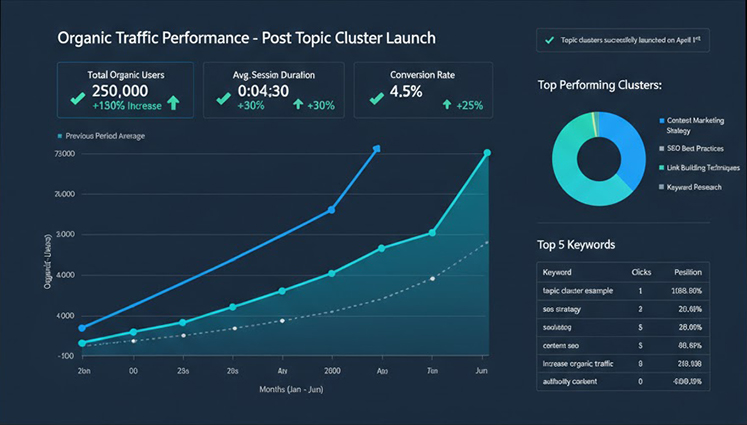
How to Create a Pillar Page That Performs
Building a successful pillar page requires more than just long content. It’s about strategic planning, keyword alignment, and structural precision.
Choose a Strong Topic Cluster
Start by selecting a topic that’s broad enough to generate multiple subtopics, yet focused enough to keep readers interested. The topic should reflect your business niche and have measurable search demand.
Ask yourself:
- What core topic do I want to be known for?
- What questions does my audience keep asking?
- Can this topic branch into smaller, related guides?
Tools like Semrush Topic Research or Google’s “People Also Ask” can reveal content cluster opportunities.
Research and Map Your Keywords
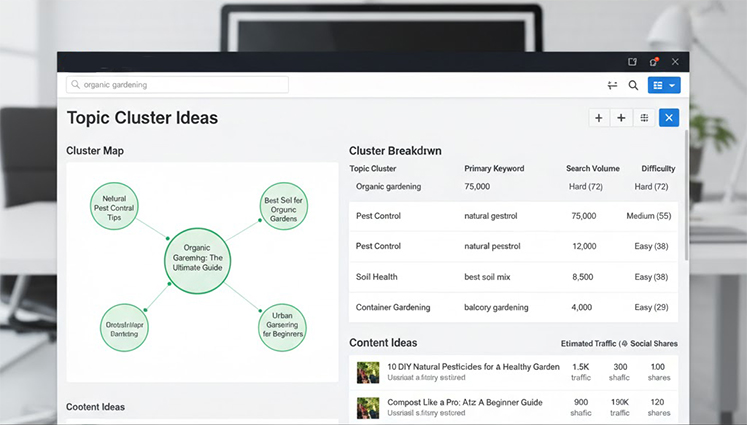
Every pillar page has one primary keyword (the broad topic) and several secondary keywords (the subtopics).
Example:
| Page Type | Example Keyword |
|---|---|
| Pillar Page | organic gardening |
| Cluster Page | balcony gardening tips |
| Cluster Page | natural pest control methods |
| Cluster Page | starting an organic garden |
Choose keywords with high intent and relevance, not just search volume. Focus on what helps readers understand the full topic journey.
Pro tip: Even low-volume long-tail keywords can add value if they answer user questions directly.
Plan Your Pillar Page Structure
Before writing, build a logical structure that organizes your topic from general to specific.
Include:
- A clear introduction to the topic
- Sections for key subtopics (linked to cluster pages)
- Internal links for context and authority flow
- A CTA that encourages deeper engagement (newsletter, product, etc.)
Your outline might look like this:
- H2: What Is “Topic”?
- H2: Why “Topic” Matters for “Audience/Goal”
- H2: How to Get Started with “Topic”
- H2: Advanced Tips / Case Studies
- H2: Related Resources (cluster links)
Write and Design for Readability
A successful pillar page isn’t just about SEO – it’s about readability and design.
- Use short paragraphs and clear headings (H2, H3).
- Add visuals like charts, screenshots, or diagrams.
- Maintain whitespace to improve focus and flow.
- Include a table of contents for easier navigation.
Avoid walls of text. Every section should feel like a valuable standalone resource.
Link Your Cluster Pages
Interlinking is the backbone of your pillar strategy.
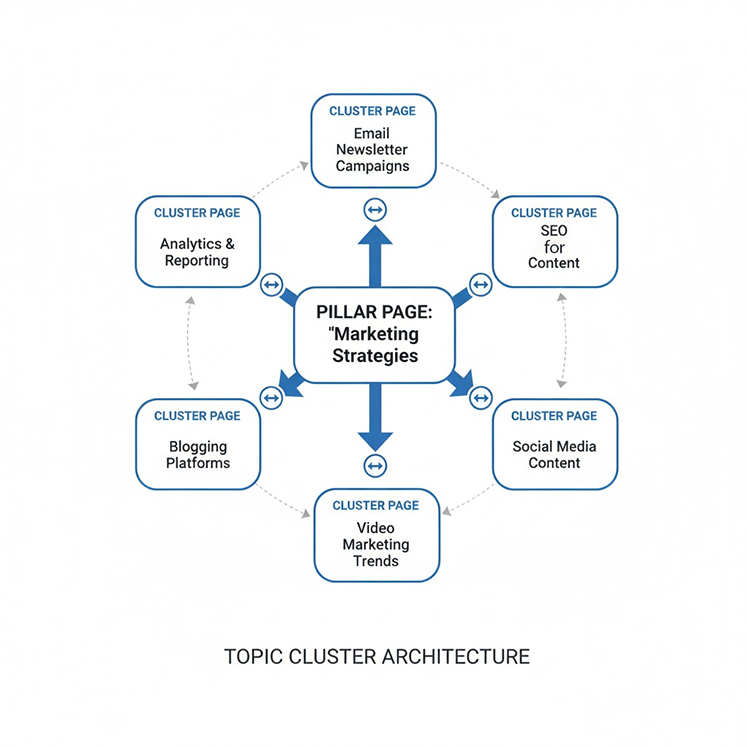
Each cluster page should link back to the main pillar page and, where relevant, to each other. This creates a circular structure that spreads authority throughout the cluster.
Pro tip:
When publishing, manually add internal links in the first 100 words of each article. It helps crawlers and boosts context.
Promote and Measure Performance
After publishing, drive traffic through:
- Email campaigns to subscribers
- Social shares with visual snippets
- Guest posts linking to the pillar page
- Paid promotion via Google Ads or LinkedIn
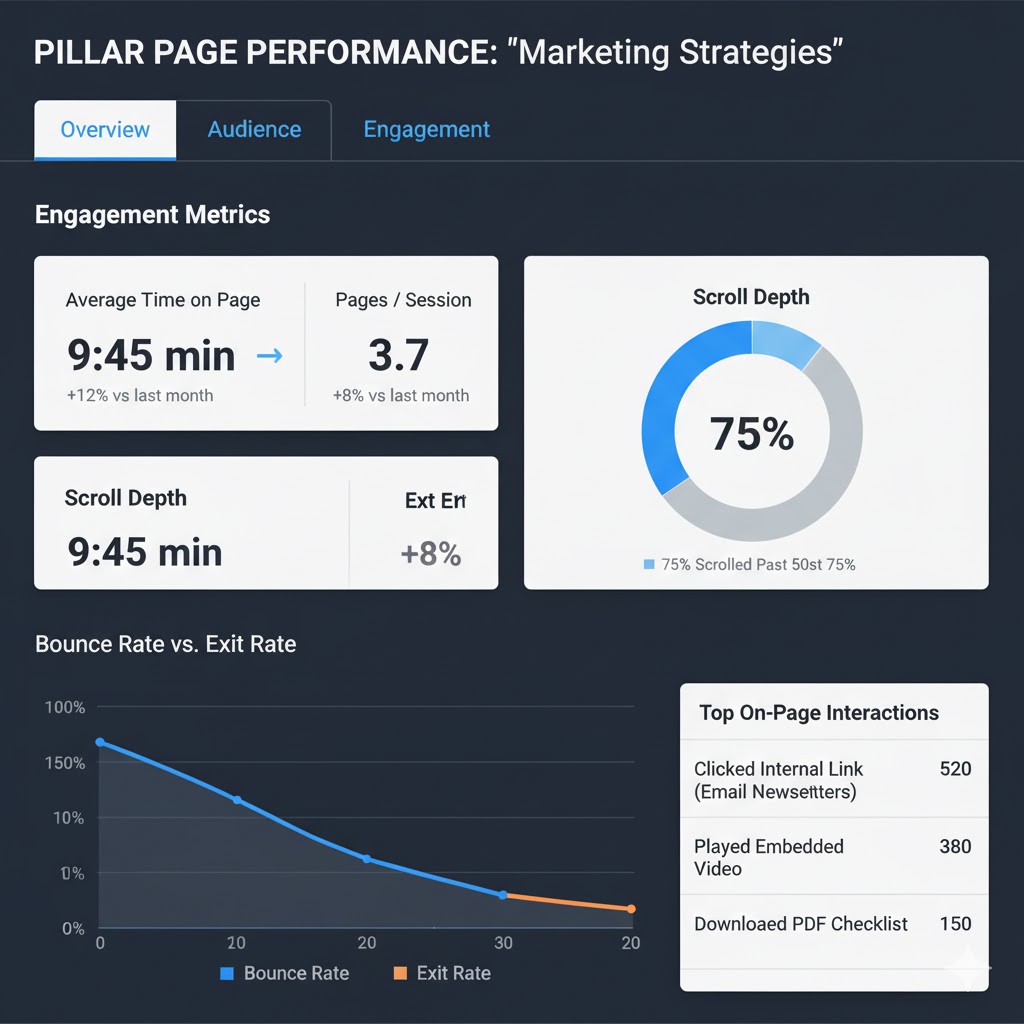
Then track performance using Google Search Console and Google Analytics 4.
Look at:
- Clicks and impressions
- Keyword rankings
- Average engagement time
- Internal link interactions
Best Practices for Pillar Page Optimization
- Keep your content ungated and easily accessible.
- Use clean design and structured navigation.
- Add internal and external links naturally.
- Place CTAs strategically without disrupting flow.
- Update regularly to keep your information current.
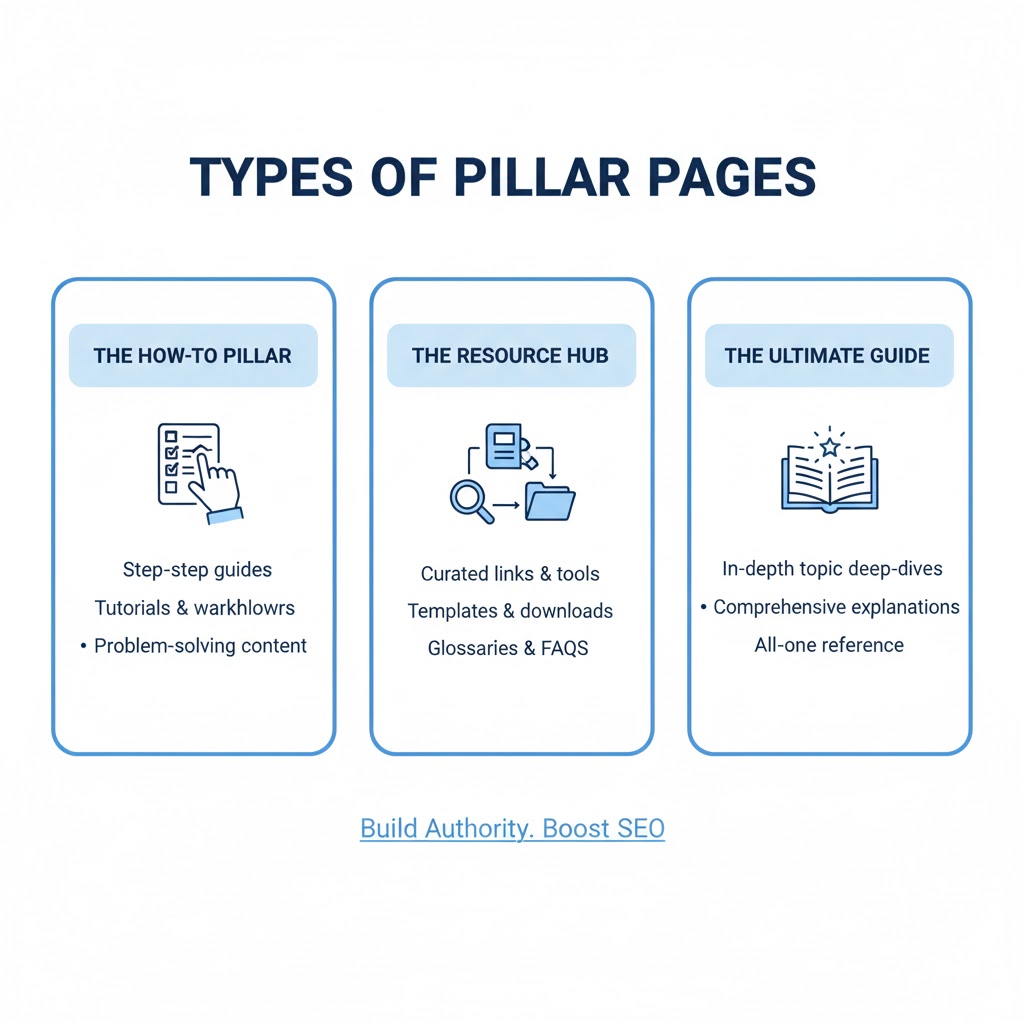
Types of Pillar Pages
The Ultimate Guide
These are detailed, educational resources covering an entire topic. Example: “Email Marketing: The Complete Guide.”
The How-To Pillar
Action-oriented content that walks readers step by step through a process. Example: “How to Build a Content Strategy from Scratch.”
The Resource Hub
A curated collection of tools, articles, and references around one subject. Example: “Best Free SEO Tools for 2025.”
Final Thoughts: Why Pillar Pages Build Long-Term SEO Authority
Pillar pages are more than just long blog posts – they’re the architectural framework of your content strategy.
When structured well, they strengthen your internal linking, improve rankings, and establish your site as a trusted authority in your field.
Whether you’re building a new content hub or revamping your SEO strategy, start with a single, well-planned pillar page. Over time, these pages will form the foundation of your website’s organic growth and authority.
FAQs About Pillar Pages: The Complete Guide to Building SEO Topic Clusters That Rank
Q: What is a pillar page in SEO?
A: A pillar page is a comprehensive guide that covers a broad topic in depth and links to multiple related articles, known as cluster pages. Together, these form a topic cluster - a structure that helps search engines understand the hierarchy and relevance of your content, improving your overall SEO visibility.
Q: How do pillar pages improve SEO rankings?
A: Pillar pages organize your website content into clear, connected topics. This structure helps search engines identify your site as an authority in your niche. When one cluster page ranks well or earns backlinks, the authority often flows to the pillar page - and vice versa - boosting the visibility of the entire cluster.
Q: What’s the difference between a pillar page and a landing page?
A: A pillar page is designed for education and SEO - it covers a topic thoroughly and links to detailed subpages. A landing page, on the other hand, is built for conversions and lead generation. While a pillar page builds authority and organic traffic, a landing page focuses on turning visitors into customers or subscribers.
Q: How long should a pillar page be?
A: Most effective pillar pages range from 2,000 to 5,000 words, depending on the complexity of the topic. The goal isn’t word count but completeness - cover the topic fully, provide clear navigation to related content, and make it easy for users to explore deeper subtopics.
Q: How do I choose topics for pillar pages?
A: Start by identifying your core business themes or the main problems your audience wants to solve. Use SEO tools like Ahrefs, Semrush, or Google Keyword Planner to find high-volume, broad keywords. Each of these core topics becomes a potential pillar page, with subtopics forming your supporting cluster pages.