
WordPress Tutorials
Welcome to Koolak.net’s WordPress Tutorials – your ultimate hub for mastering WordPress, whether you’re just starting out or looking to enhance your skills. Our easy-to-follow, practical guides cover everything from basic setup and customization to advanced plugin development, performance optimization, SEO best practices, and security hardening.
Each article is written with real-world experience, giving you actionable insights to build powerful websites with confidence. Whether you’re running a blog, an online store, or a business site, our tutorials help you make the most out of WordPress.
- Beginner-Friendly Guides
- Expert Tips for Developers
- Speed, SEO & Security Tutorials
- Plugin & Theme Customization
- Step-by-Step Code Examples
Explore our growing library of tutorials and take your WordPress skills to the next level—the smart way.
How to Create a WordPress Admin User via phpMyAdmin: Step-by-Step Guide
If you need to create a new WordPress admin user but cannot access the WordPress [...]
1 Comment
4 min read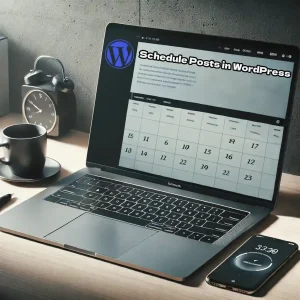
How to Schedule Posts in WordPress for Better SEO and Content Management
WordPress offers an array of powerful features, but some of them remain hidden within the [...]
1 Comment
3 min read
Selling Files in WordPress Easily By Easy Digital Downloads
There are always individuals who want to create a website capable of selling files online [...]
6 min read
How to Add a Custom Currency Unit in WooCommerce
You May Ask Why Should i Use a Custom Currency in WooCommerce? WooCommerce supports AED [...]
3 min read
User Roles in WordPress, How to Create and Manage User Roles
WordPress comes with five default user roles: Administrator, Editor, Author, Contributor, and Subscriber. Each role [...]
1 Comment
4 min read
How to Create Tables in WordPress EasilyUsing TablePress (Complete Guide)
Your Are trying to Create Tables in WordPress? WordPress is one of the most powerful [...]
5 min read
How to Increase Upload File Size in WordPress | Increase WordPress Upload Size
How to Increase Upload File Size in WordPress? If you’ve ever tried uploading a large [...]
5 min read
Add Google analytics code to WordPress Without Editing Files
if you are familiar with google analytics it’s a free marketing and analytics tool for [...]
1 Comment
2 min read
Submit WordPress Site to Google Search Console
Registering your site in Google Search Console, formerly known as Google Webmaster Tools, is one [...]
1 Comment
6 min read
Identify and Fix Plugin Conflicts in WordPress
It’s frustrating when your WordPress site suddenly stops working, often showing a White Screen of [...]
4 min read
How to Completely Disable Comments in WordPress (Complete Guide)
Why Disable Comments? WordPress allows comments by default on posts, which can be great for [...]
3 min read
How to add PHP code to WordPress without editing theme files
When you need to add custom PHP code to your WordPress website, editing theme files [...]
3 min read