
WordPress Tutorials
Welcome to Koolak.net’s WordPress Tutorials – your ultimate hub for mastering WordPress, whether you’re just starting out or looking to enhance your skills. Our easy-to-follow, practical guides cover everything from basic setup and customization to advanced plugin development, performance optimization, SEO best practices, and security hardening.
Each article is written with real-world experience, giving you actionable insights to build powerful websites with confidence. Whether you’re running a blog, an online store, or a business site, our tutorials help you make the most out of WordPress.
- Beginner-Friendly Guides
- Expert Tips for Developers
- Speed, SEO & Security Tutorials
- Plugin & Theme Customization
- Step-by-Step Code Examples
Explore our growing library of tutorials and take your WordPress skills to the next level—the smart way.
How to Add Custom Font to WordPress Websites
Typography plays a significant role in web design, influencing the way your audience perceives your [...]
1 Comment
4 min read
Change WordPress Login URL | Change Login URL For WordPress
Change WordPress Login URL is an effective way to improve your website’s security. Bots and [...]
10 Comments
4 min read
WordPress Security | Keep Your WordPress Site Secure Easily
WordPress is the go-to platform for building websites, powering over 40% of the internet! While [...]
6 min read
WordPress vs Laravel, Which one is better for you?
When it comes to building websites or web applications in PHP, developers and businesses often [...]
6 min read
Disable or Enable the WordPress Theme and Plugin Editor
You Should Disable WordPress Theme and Plugin Editor! WordPress comes with a built-in code editor [...]
3 min read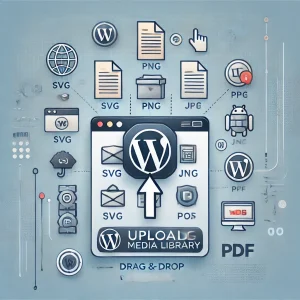
How to Upload SVG and Other Custom Formats to WordPress Media Library
Are you struggling to upload custom file formats, such as SVG, WOFF, or WOFF2, to [...]
3 min read